Floating OpenClaw Chat
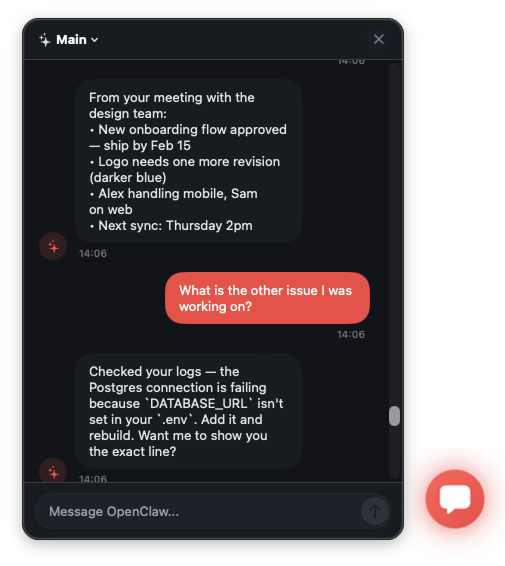
AI chat at your fingertips. A floating bubble that's always ready for instant conversations with OpenClaw.

Free • macOS 12.0 or later
Key Features
Always-On Floating Bubble
A sleek chat bubble that floats on top of all your apps, ready when you need it.
Global Keyboard Shortcut
Press Cmd+Shift+O from any app to instantly open or close the chat panel.
Multiple Sessions
Switch between different chat sessions seamlessly from the dropdown menu.
Real-Time Streaming
See AI responses stream in real-time via WebSocket connection to OpenClaw gateway.
Native macOS Design
Beautiful dark theme with the OpenClaw design system, built with native SwiftUI.
Flexible Positioning
Drag the bubble anywhere on screen. Position is remembered between sessions.
Perfect For
Developers
Get AI help with code while staying in your IDE. No need to switch apps or open browser tabs.
Writers & Creators
Brainstorm ideas, get writing suggestions, or overcome creative blocks instantly.
Power Users
Run quick queries, get explanations, or automate tasks without interrupting your workflow.
Requirements
- macOS 12.0 (Monterey) or later
- OpenClaw gateway running locally
- Local network access
Local Gateway Connection
All communication happens locally between the app and your OpenClaw gateway. No data is sent to external servers.
Ready for Instant AI Chat?
Download Floating OpenClaw Chat and bring AI conversations to your fingertips.