Design Mirror
for Figma
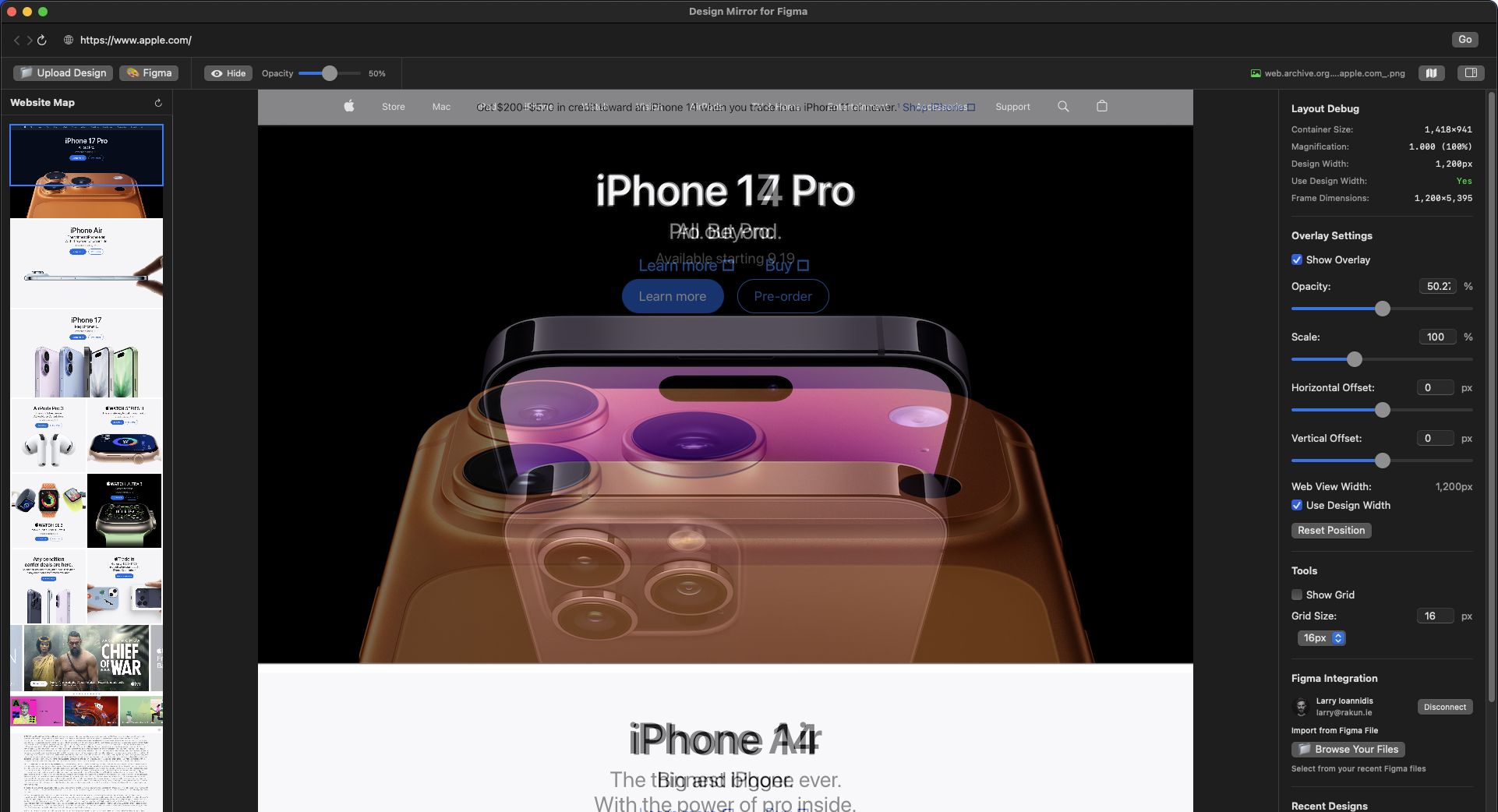
A transparent overlay of Figma designs on top of your development environment — so developers can hit pixel-perfect implementation without the screenshot dance.
The problem
Implementing a design means an endless dance: write some CSS, refresh the browser, take a screenshot, paste it into Figma, eyeball the difference, repeat. Design Mirror kills the dance — it floats your real Figma frames as a transparent overlay directly on top of your editor and browser, so the comparison is live and exact.
Key features
Transparent design overlay
Position Figma designs over your dev environment with perfect, adjustable transparency.
Direct Figma integration
Connect your Figma account via OAuth for seamless, secure access to your files.
Precision controls
Fine-tune position, opacity and scale for perfect pixel alignment.
Multi-display support
Works seamlessly across multiple monitors for a flexible workflow.
CloudKit sync
Settings follow you across devices using Apple's CloudKit.
Keyboard shortcuts
Quick controls for rapid adjustments without leaving the keyboard.
How it works
Launch
Open Design Mirror and start your overlay workflow.
Connect to Figma
Authenticate via secure OAuth integration.
Select a design
Choose from your Figma files and projects.
Code with precision
Position the overlay and adjust for a pixel-perfect build.
Your files stay yours
Design Mirror only accesses the Figma files you explicitly select. No tracking, no analytics — settings are stored locally and in your own iCloud.
Want one of your own?
This started as an itch we had to scratch. If you've got a tool-shaped problem, we'll build it.