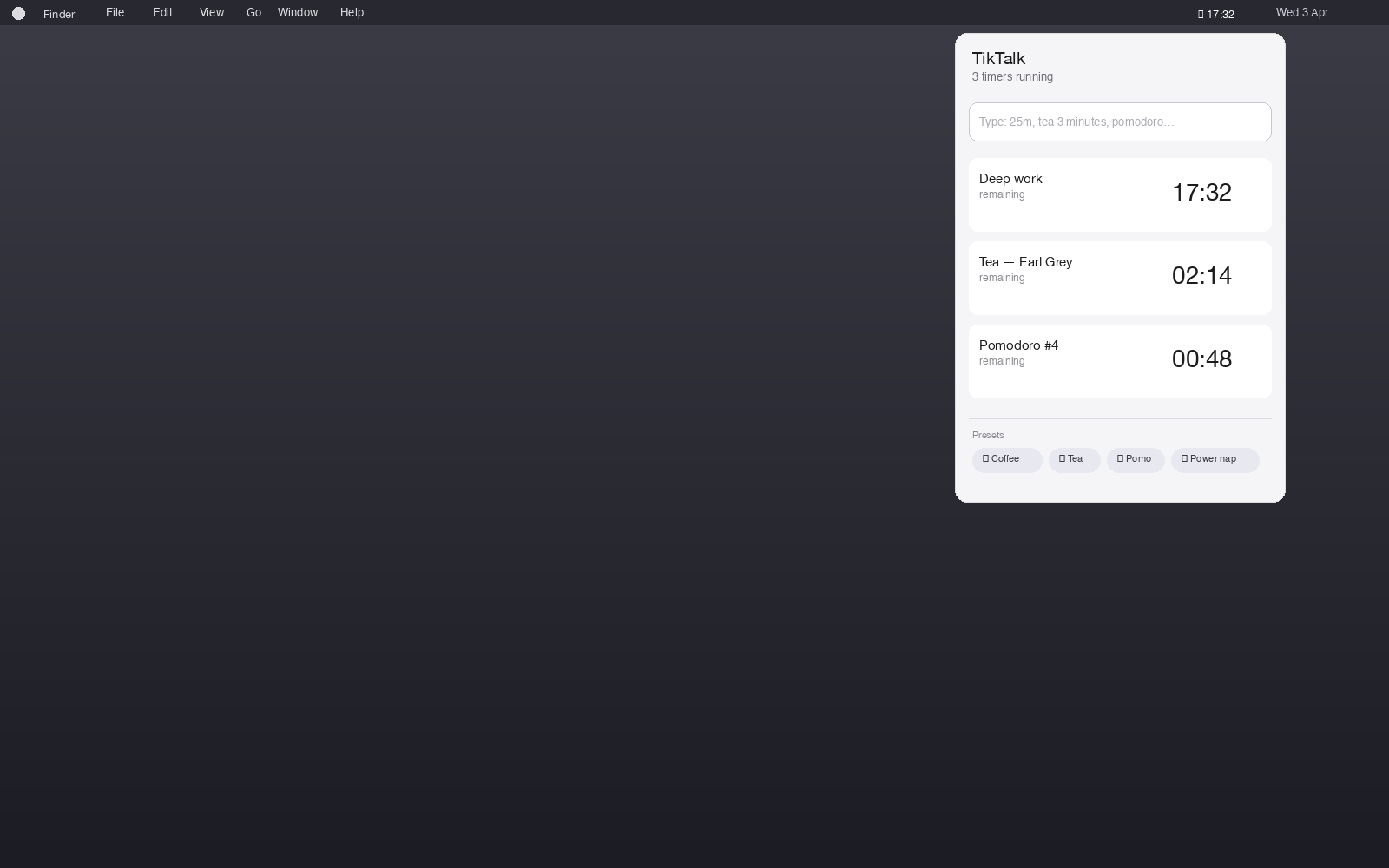
Everything a menu bar timer should be.
Natural language input
Type 25m, 1h30m, 90s, tea 3 minutes, or pomodoro 25m. TikTalk figures out the duration, the label, and the emoji.
Multiple simultaneous timers
Run as many timers as you need at once. Each one tracks independently, and the most urgent one shows in your menu bar.
Presets and favourites
Built-in Pomodoro 25m, Short Break 5m, Long Break 15m, and Tea 4m. Add your own — one click to start.
Menu bar countdown
Your active timer counts down live in the menu bar — `☕ 3:42` or `🍅 24:18` — so you always know what’s running.
Global hotkey
⌘⇧T from anywhere toggles the popover. Right-click the icon for pause, resume, stop, and reset without losing focus.
Countdown or stopwatch
Count down to zero, or count up from zero. Whichever way you think about time, TikTalk handles it.
Built for people who live in the keyboard.
Focus workers
Pomodoro at ⌘⇧T, then ⌘⇧T again to peek. Your 25 minutes are one shortcut away.
Tea and coffee drinkers
Type ‘tea 4 minutes’ and get a 🍵 in your menu bar. Perfect steep, every time.
Multitaskers
Boil pasta, steep tea, and timebox a task — three timers at once, each counting down on its own.
Nothing leaves your Mac.
TikTalk - Timer has no network, no accounts, no analytics, and no telemetry. Your timers and presets stay on your device.
Stop guessing. Start timing.
TikTalk - Timer is free on the Mac App Store.